Setting up your initial 2D Scene
Redot games require a 'main' scene and we will start by making our 3D Scene. When you first start your project you will be met with a premade empty scene and you should select the 2D Scene here. 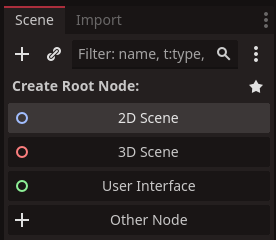
TIP
Creating a scene for a 2D game is exactly the same as 3D, just click the 3D scene button instead. If you're creating a menu or UI based scene, click User Interface.
We will save the 'main' scene right away. Right click the [unsaved(*)] tab above the viewport. Then select the Save Scene. 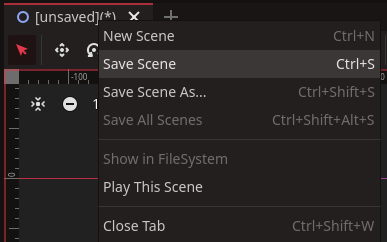
Now in the File: field, type in main. Then click the Save button. 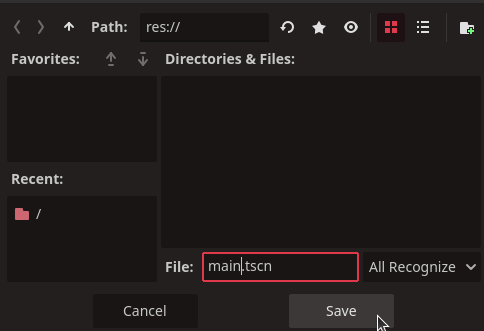
And that's it! You now have a scene names main. And to make it your projec't main scene simply click the play button. 
And then select the Select Current button. 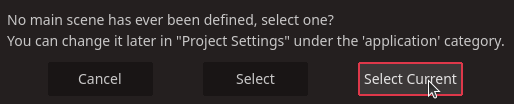
INFO
If the game started without prompting you to select a main scene, it means you already went through this step and need to clear or set the project's main scene in the Project Settings. Follow instructions on Setting main scene in settings.